How it works
Three parts: a case that listens to the panel, an app the technician carries, and a portal for the office.
The case
A small hard case with one socket on the outside. Inside, under a fixed cover, is a serial gateway, a battery and the electronics that isolate the case from the panel. The technician never opens it.
- One lead from the case to the panel's printer or serial port
- Its own battery, charged over USB-C, so it draws nothing from the panel
- An isolated serial connection, so the case cannot put an earth fault on the panel
- Listens only. It does not send commands to the panel
- Short adaptor leads for each panel family, kept in the lid
The case is at design stage. Final size, battery life and the list of leads will be confirmed on the bench before any unit is sold.
Design targets
- Setup at the panel
- Under 10 minutes
- Battery
- Two full test days between charges
- Weight
- Carried in one hand with a ladder in the other
- Link to the phone
- 4G, so it works from the far end of the building
- Panel connection
- RS-232 printer or serial output
The phone app
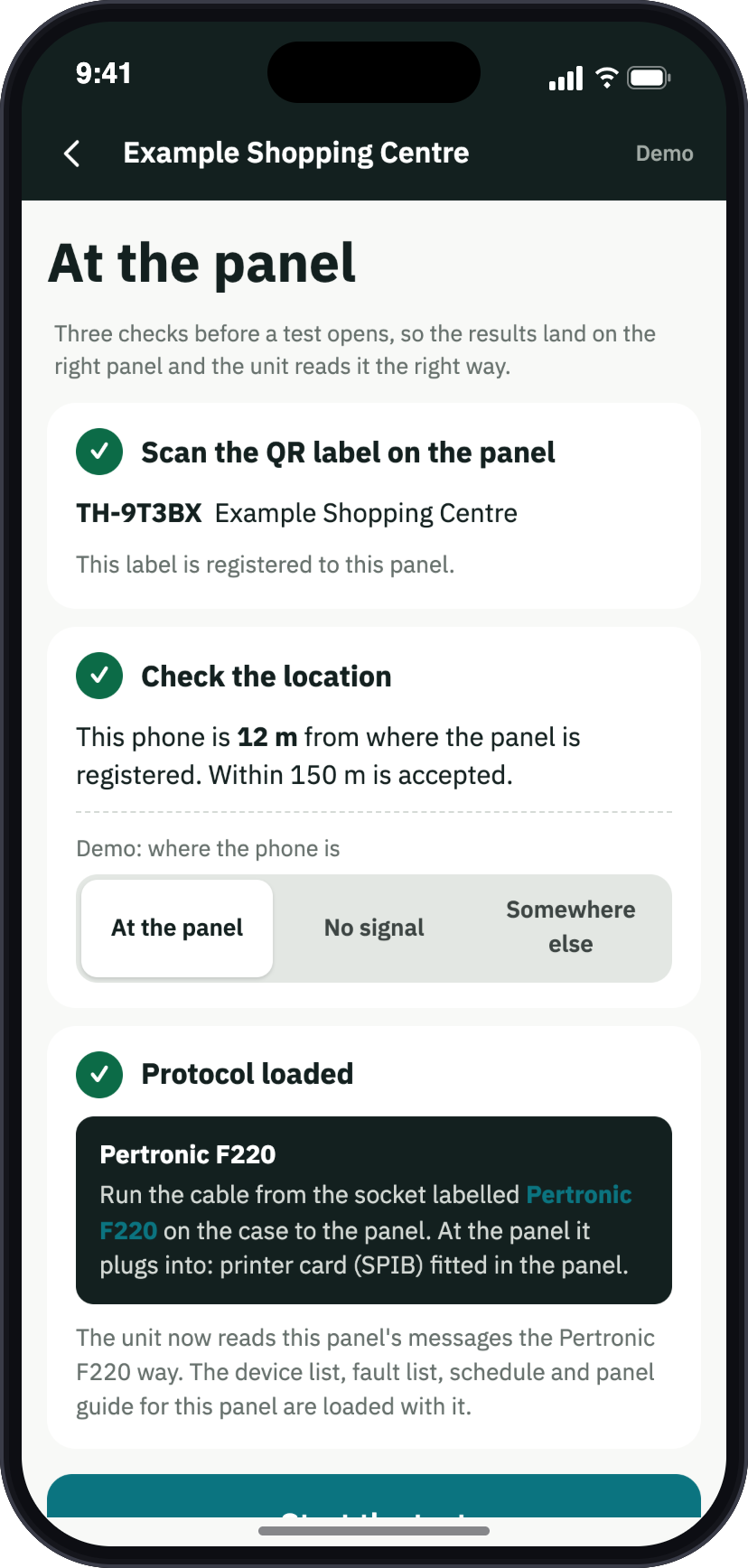
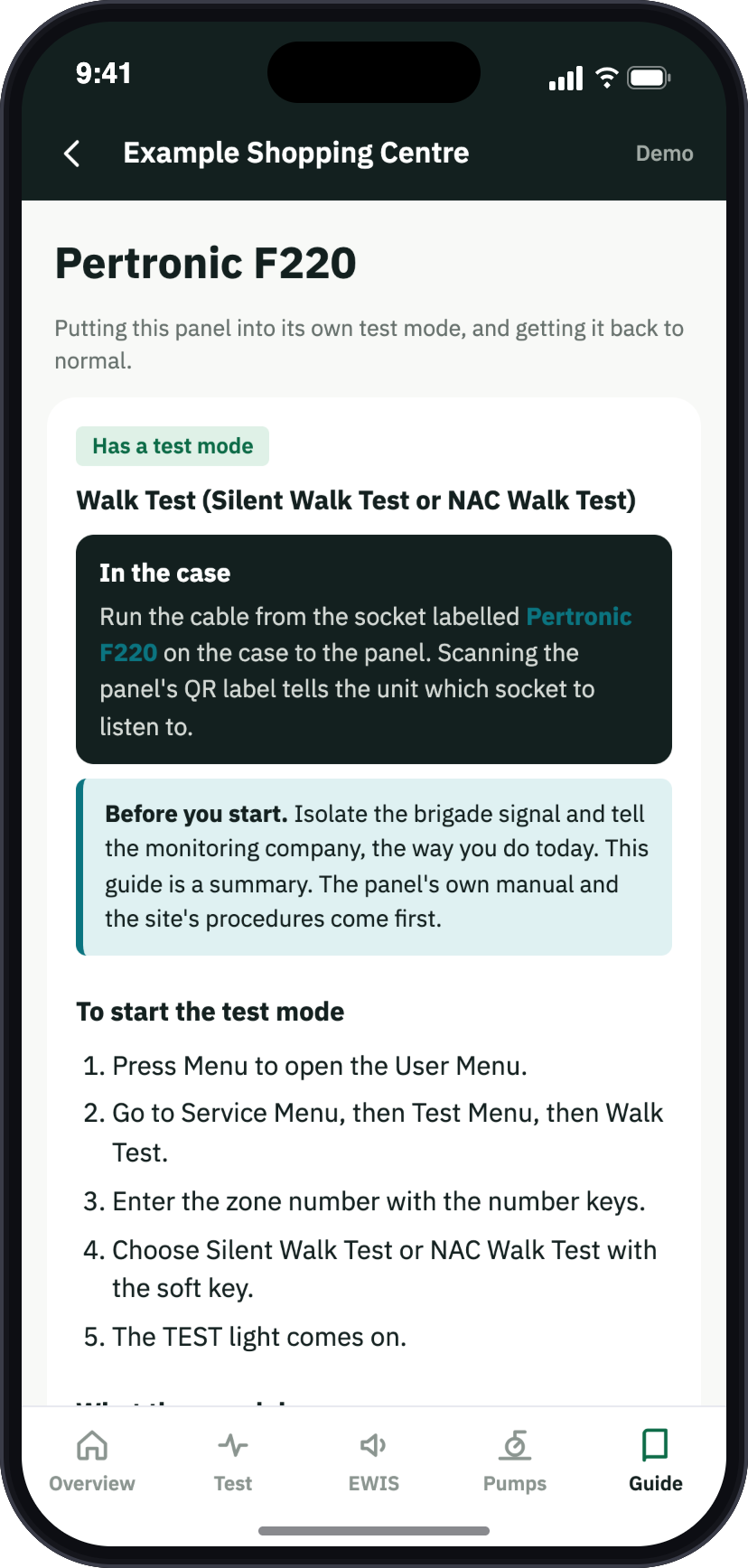
The app is the technician's half of the job. It knows the building, knows what the year needs, and shows each device the moment the panel reports it.
- Scan the panel's QR label to load the right building
- Walk test steps for that panel, from the manufacturer's manual
- Live count against the yearly target on each circuit
- Mark a device failed, add a note and a photo, drop a pin on the plan
- Pass a device by hand when the panel cannot report it. Reports label these
- Opens without signal once it has been loaded
The office portal
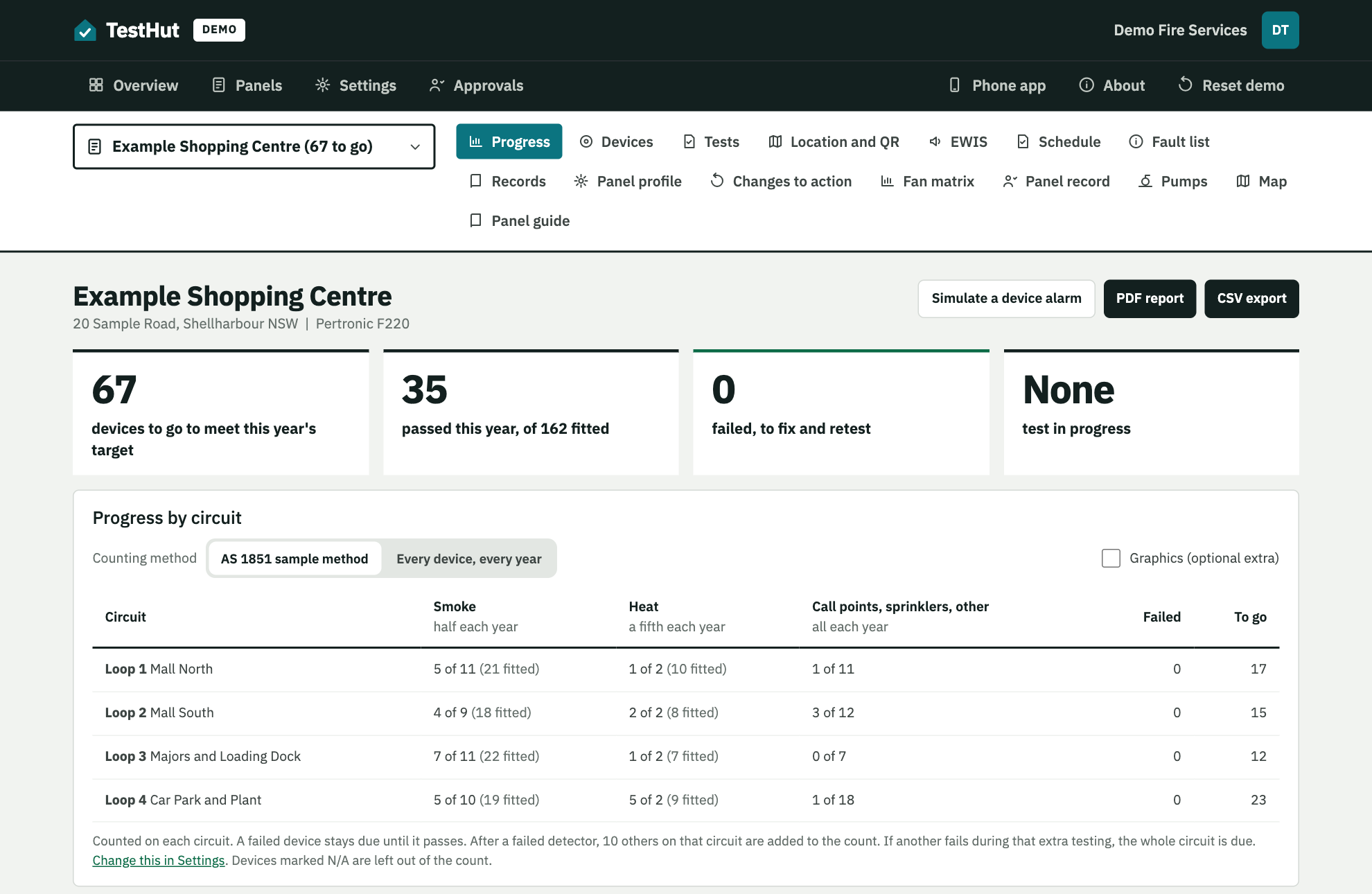
Everything the technician records lands in the portal. The office sets each building up once and adjusts it year on year as equipment changes.
- Register a panel and print its QR label
- Panel profile: tick what the building has, and what you are contracted for
- Progress for every building against its testing year
- Failed items and changes waiting to be actioned
- Company settings, including how clause G16.1 is applied after a failure
- Export results for your own reporting
What it does not do
It does not test the device for you
The technician still puts smoke or heat on the detector. TestHut records that the panel saw it.
It does not control the panel
Isolations, walk test mode and resets stay in the technician's hands at the panel.
It does not decide compliance
It keeps an accurate count. The sign-off is still yours, against the standard and your contract.